
by Red Rat in Hat

Calculate the racing line, speed, and lap time for your track.

Calculate the racing line, speed profile, braking points, acceleration and lap time directly on your device. Use the optimized racing line to improve your lap times. Compare five physical models and saved runs. Use the built-in track editor to prepare geometry from a track image, plan or satellite view.

Racing calculator Track image workflow Karting Lap time Braking points Local calculation

Screenshots

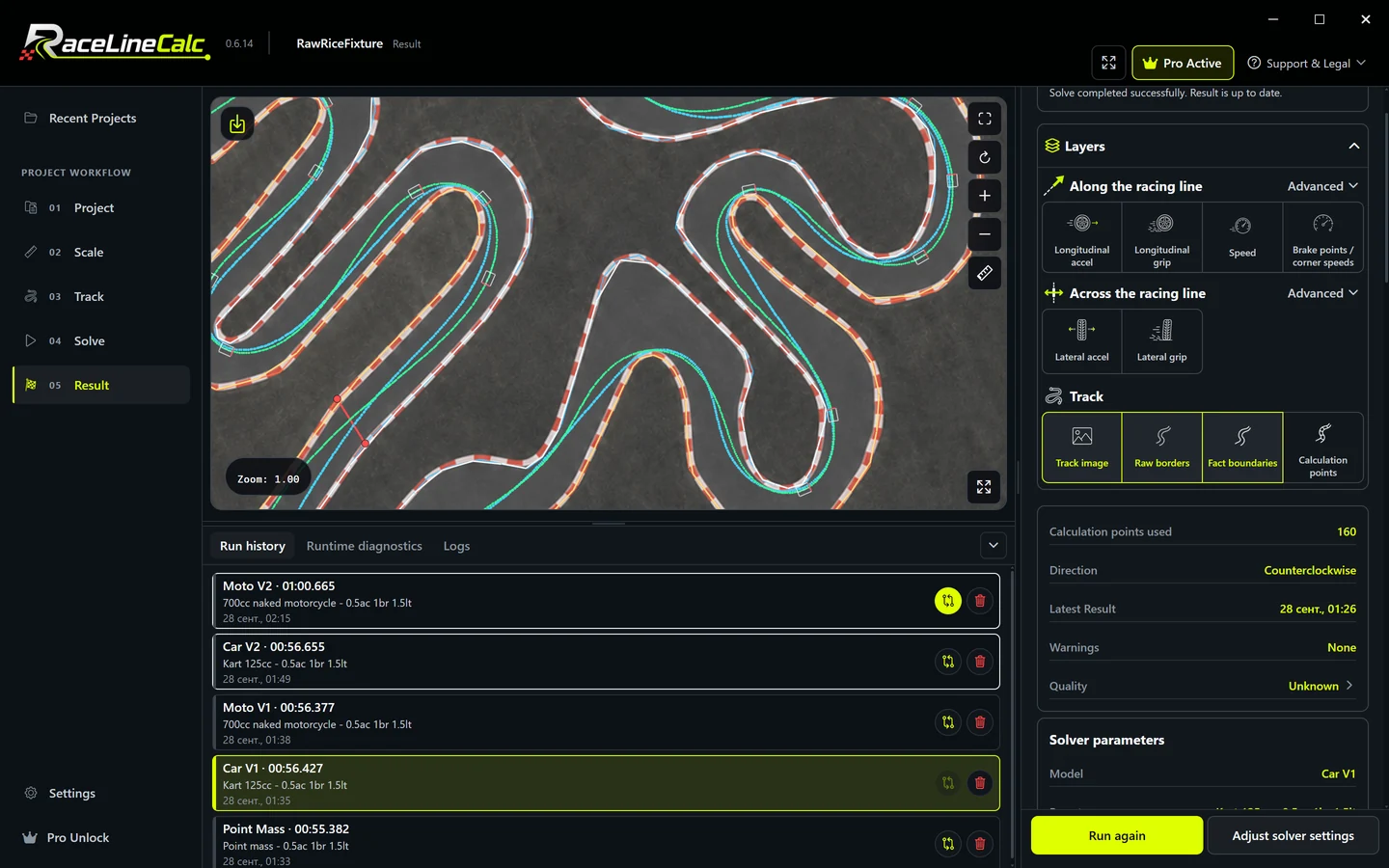
Racing line and lap time - RaceLineCalc
Racing line and lap time
Home screen - RaceLineCalc
Home screen
Track editor - RaceLineCalc
Track editor
Point model setup - RaceLineCalc
Point model setup
Car model parameters - RaceLineCalc
Car model parameters
Acceleration overlays - RaceLineCalc
Acceleration overlays
Braking points and speed - RaceLineCalc
Braking points and speed
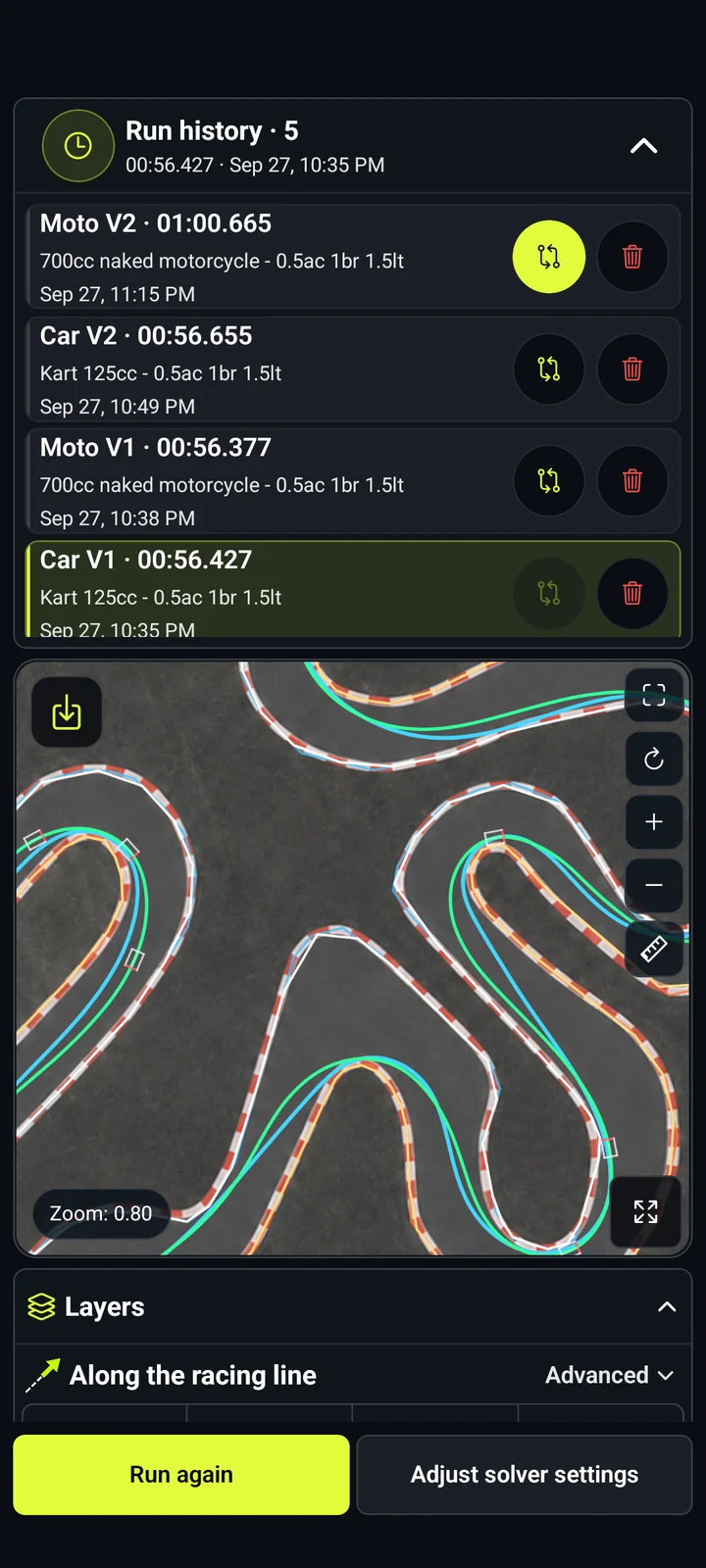
Run comparison - RaceLineCalc
Run comparison
Racing line and lap time - RaceLineCalc
Racing line and lap time
Home screen - RaceLineCalc
Home screen
Track editor - RaceLineCalc
Track editor
Point model setup - RaceLineCalc
Point model setup
Car model parameters - RaceLineCalc
Car model parameters
Acceleration overlays - RaceLineCalc
Acceleration overlays
Braking points and speed - RaceLineCalc
Braking points and speed
Run comparison - RaceLineCalc
Run comparison

Release update · v0.6.16

What's new in RaceLineCalc 0.6

  • Added detailed Car V2 and Moto V2 physics models and new vehicle presets.
  • Improved automatic track-boundary detection, editor gestures and undo.
  • Added an interactive acceleration chart for the Point model and a track ruler.
  • Updated five demo runs per track and expanded the V2 result layers.
  • Adapted the interface for phones, tablets and desktop, and improved navigation.
  • Fixed model startup errors; improved progress, cancellation and non-convergence diagnostics. The screen now stays awake during calculations.

About the app

What is RaceLineCalc?

RaceLineCalc is a racing line and lap time calculator. It optimizes the racing line for your track and vehicle parameters to help you improve your lap times. The built-in editor prepares the track geometry for calculation.

Use it for karting circuits, permanent tracks, private layouts, or lesser-known venues when you have an image but no ready-made digital track model.


Workflow

How it works

  1. Import a track image, plan, sketch, or satellite view into a local project.
  2. Calibrate the image scale using a known distance.
  3. Trace or generate the left and right track boundaries and place the start line.
  4. Choose the driving direction, station count, physical model, and preset.
  5. Calculate the racing line locally on the device.
  6. Review lap time, speed, acceleration, and braking, then compare saved runs. Use your chosen racing line to improve your lap times.

Store availability

Choose your platform

RaceLineCalc for your phone and computer

Google Play

Android

Available

v0.6.16

QR — Google Play

Scan with your phone camera

Open store

App Store

iPhone · iPad

Available

v0.6.16

QR — App Store

Scan with your phone camera

Open store

Steam

Windows · macOS

Available

v0.6.16

Open store

Microsoft Store

Windows

Available

v0.6.16

Open store

Regional availability and prices are determined by each store.

Support

Purchases do not transfer between stores; each store shows its regional price.

Racing calculations

What this racing calculator calculates

RaceLineCalc solves a minimum-time trajectory optimization problem on a calibrated flat track. It combines track geometry with a selected point, car, or motorcycle model to calculate the resulting racing line, speed profile, braking points, acceleration, and model-calculated lap time.

Racing line from a track image

Import a track image, map, plan, sketch, or satellite view, calibrate the scale and boundaries, and turn the layout into a solvable track model for racing line optimization.

Lap time and speed

The min-time solver searches for a time-efficient racing trajectory within the selected track geometry, vehicle model, grip, power, braking, and configured limits. Review the resulting racing line, speed profile, and model-calculated lap time.

Braking and acceleration

Compare point-based, car, and motorcycle trajectory models with mass, power, grip, braking, steering, acceleration, and lean-related limits.

Saved run comparison

Use the race track trajectory planner for karting circuits, indoor tracks, road courses, custom layouts, and local track studies, then compare compatible runs on the same geometry.

Point model

Start with a compact model that focuses on track geometry and a configurable acceleration envelope.

Car models · V1 / V2

Explore presets and parameters for mass, power, braking, grip, dimensions, drivetrain, and aerodynamics.

Motorcycle models · V1 / V2

Calculate a motorcycle racing line with bike-specific presets, acceleration limits, and lean-angle results.

Results you can inspect

Review the racing line, lap time, speed, longitudinal and lateral acceleration, braking points, run history, and a two-run comparison on the same track geometry.

Local project workflow

Core project editing and calculation run on the device without a mandatory account or project upload. Store purchases, advertising, and external links may require network access.

Model scope

  • RaceLineCalc calculates on a calibrated flat track model.
  • Elevation, jumps, camber, changing surfaces, weather, traffic, and driver decisions remain outside the current model.
  • Source-image quality, scale calibration, boundary placement, model choice, and parameter values shape the calculated result.
  • Use the result together with real track knowledge, telemetry, and safe track testing.

FAQ

What kind of racing calculator is RaceLineCalc?

RaceLineCalc is a motorsport calculator for track geometry, racing lines, speed, acceleration, braking, and lap times. It does not calculate fuel consumption, pit strategy, race odds, or betting returns.

Does RaceLineCalc calculate the optimal racing line?

Yes. The min-time solver calculates a time-efficient racing trajectory for the track geometry, physical model, and parameters you provide. The current calculation uses a calibrated flat track model.

Can I use RaceLineCalc for karting tracks?

Yes. Import indoor, outdoor, rental-kart, or custom circuit images, calibrate the scale, trace the track, and calculate the racing line.

Does RaceLineCalc support motorcycles?

Yes. The motorcycle model has bike-specific presets and parameters and calculates speed, acceleration, braking, and lean angle.

Does it calculate speed and lap time?

Yes. Completed runs include calculated lap time, speed, acceleration, and braking. The values come from the selected physical model and track geometry.

Does RaceLineCalc require an internet connection or account?

Core project editing and local calculation do not require an account or project upload. Store purchases, advertising, and external links may require internet access.

Which real-world effects are outside the model?

The current flat model covers track geometry and selected vehicle parameters. Elevation, jumps, camber, changing grip, surface condition, weather, traffic, and driver choices remain outside its scope.

Solver source and licensing

Source-available Rust optimizer with public Point, Car V1 and Moto V1 models. RaceLineCalc uses a separate private solver; V2/V2.1 source and calibration are not included.

Noncommercial use, modification and redistribution are allowed. Commercial use requires written permission from PE Patsukevich Aleksandr. The TUMFTM fork link records provenance, not endorsement.

RaceLineCalc is a local-first race trajectory optimization tool: a racing line calculator, track analyzer, lap time calculator, and minimum-time trajectory optimizer in one app. It supports image-based track analysis, optimal racing line calculation, speed-profile analysis, braking-point estimation, vehicle-model comparison, and minimum-lap-time studies on a calibrated flat track.